 Interactive
Salesforce
Rules Engine
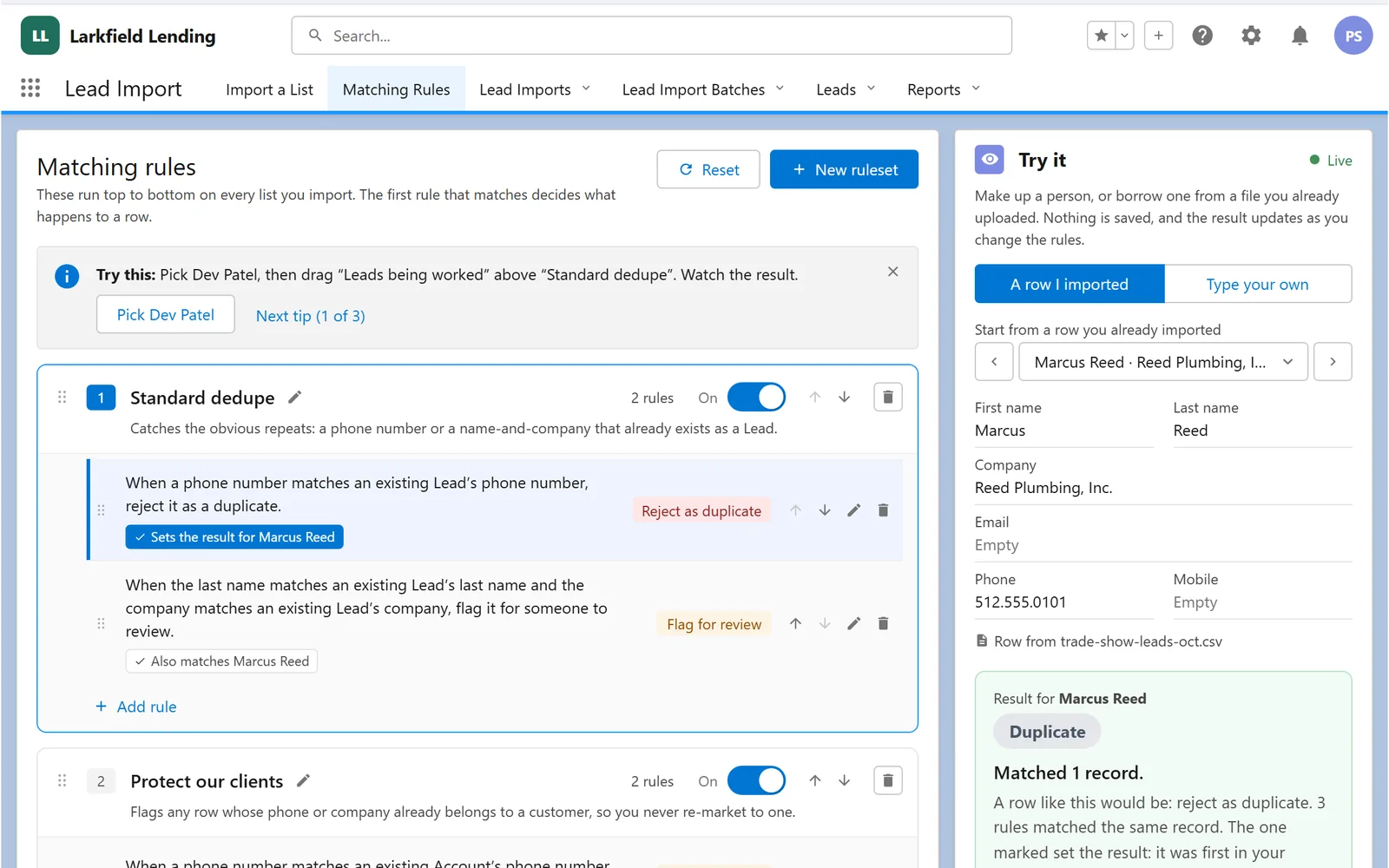
Matching rules that read like sentences. Put them in priority order, switch them on and off, and test any record against them.
Try it

Interactive· Salesforce
Lay out a venue in minutes: curved rows of seats in three clicks, a status on every seat, and a roster of who sits where.
Venue Map Builder
Northside Bakery 10th Anniversary Gala · Harbor Hall · Sat, Nov 14 · 7:00 PM
Select: click a seat to see it and assign an attendee.
Arrow keys move between seats and Enter opens one. Shift with the arrow keys moves the map, plus and minus zoom, 0 fits the venue. V, H, S and R pick a tool.
Row A12 seats
↑↓←→ nudge row · ⇧ big · +/− count
Templates keep sections, rows and seats, and clear the attendees.
About This Piece
A venue map builder that lives inside Salesforce, right next to the guest list.
The real one is a Lightning Web Component that saves events, sections, rows and seats as Salesforce records. This demo runs in your browser with a made-up venue and guest list.
InteractiveSalesforce
Matching rules that read like sentences. Put them in priority order, switch them on and off, and test any record against them.
Try it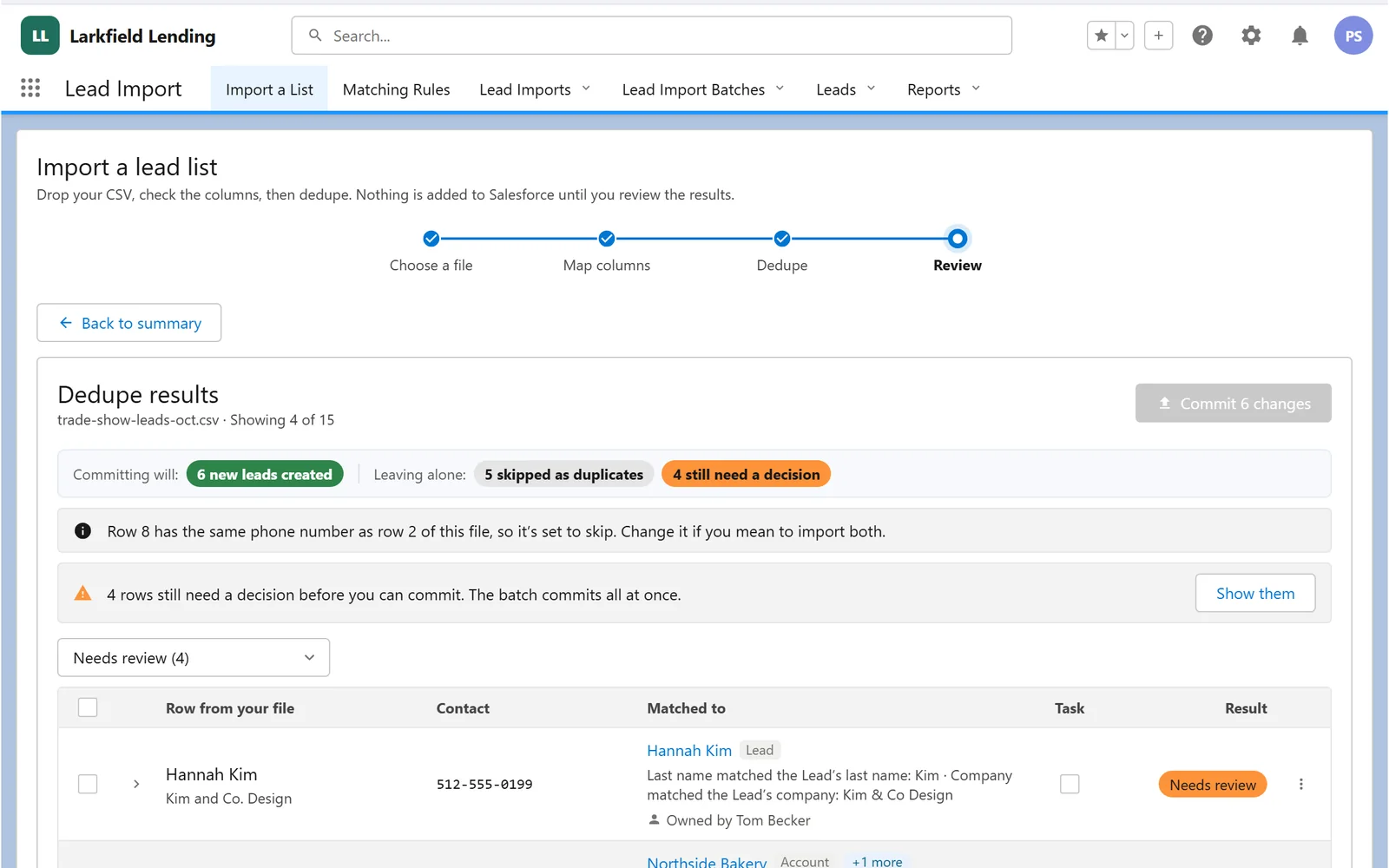 Interactive
Salesforce
Drop in a messy spreadsheet: columns map themselves, every row is checked for duplicates, and nothing lands until you've reviewed it.
Try it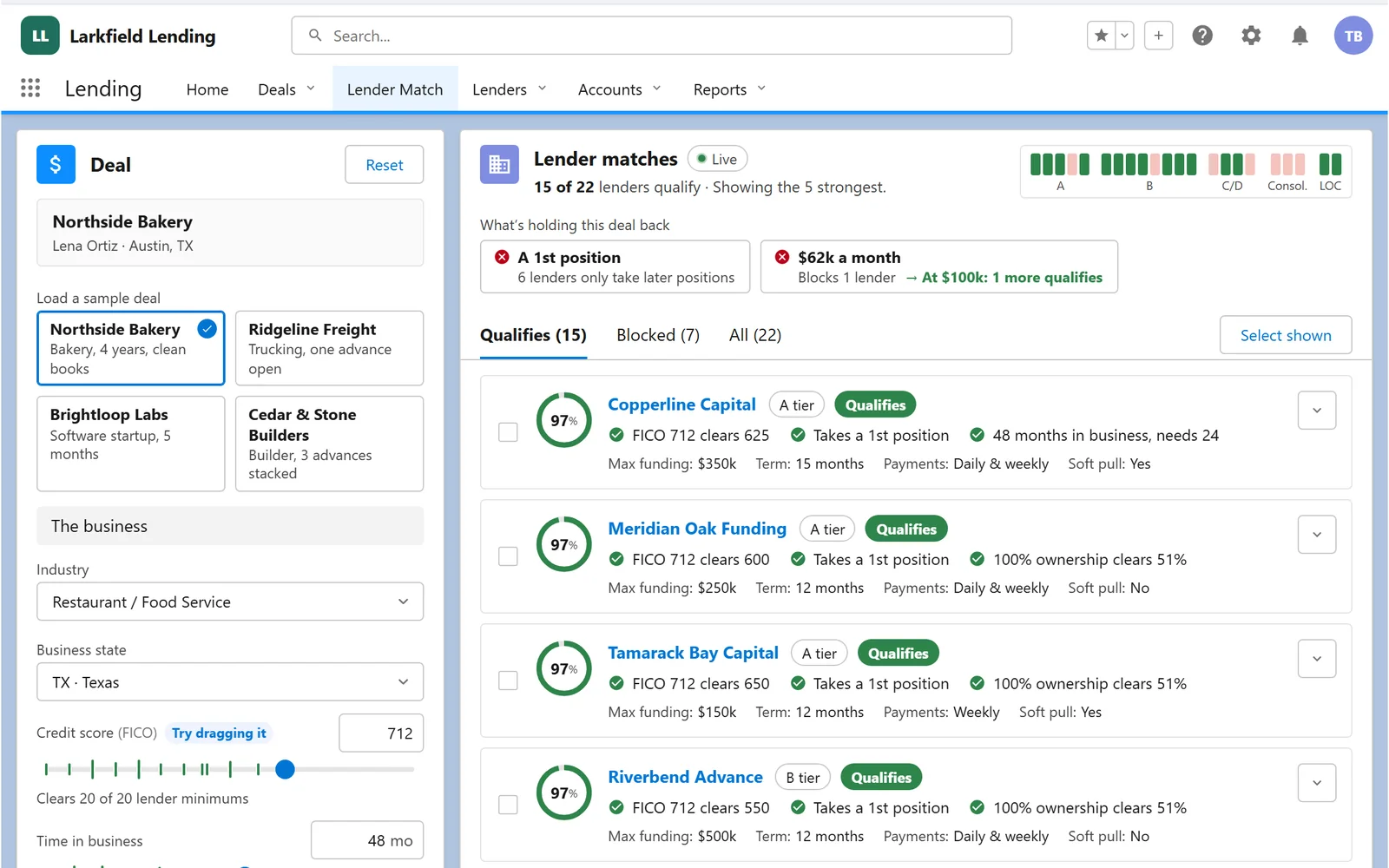 Interactive
Salesforce
Enter a deal and watch every lender score it live: hard rules block, soft factors nudge, and the best fits rise to the top.
Try itTell us what slows your people down. We’ll show you what we’d build, and how it would fit the systems you already run.